Typing with Carpal Tunnel: What Actually Helps
If you're reading this, there's a good chance your hands are already bothering you. Maybe it started as a tingle in your fingertips during a long work session. Maybe you've been waking up at 3 a.m. shaking out your hand, trying to get the numbness to stop. Or maybe you just got a diagnosis and you're wondering how you're supposed to keep doing your job when your main tool — your hands — won't cooperate.
You're not alone, and you're not out of options. Millions of people type through carpal tunnel every day, and while there's no magic fix, there are real, practical things you can do to reduce pain and keep working.
A note before we start: This article is general information, not medical advice. Carpal tunnel syndrome varies from person to person, and what works for one person may not work for another. If your symptoms are severe or getting worse, please see a doctor or occupational therapist who can evaluate your specific situation.
What Carpal Tunnel Actually Does to Your Typing
Carpal tunnel syndrome happens when the median nerve gets compressed as it passes through a narrow passage in your wrist. That nerve controls sensation in your thumb, index, middle, and half of your ring finger. It also helps you grip things and make fine movements — basically everything you need to type.
In practical terms, here's what that looks like at the keyboard:
- Numbness and tingling in your fingers, especially the thumb and first two fingers. It can feel like your hand fell asleep and never quite woke up.
- Weakness in your grip, making it harder to press keys with consistent force. You might start dropping things or feel clumsy in ways you never used to.
- Pain that radiates up from the wrist into the forearm, especially after extended typing sessions. Some people also feel it at night.
- Loss of fine motor control, leading to more typos and slower speeds. Keys you used to hit without thinking suddenly require effort.
The frustrating part is that these symptoms tend to get worse the more you type — which is a problem when typing is your livelihood. So the goal isn't to stop typing entirely (that's not realistic for most people), but to change how you type.
Ergonomic Adjustments That Make a Real Difference
The single biggest thing most people get wrong is wrist position. If your wrists are bent upward while you type — resting on a desk edge or angled up toward a thick keyboard — you're compressing that carpal tunnel with every keystroke.
- Keep your wrists neutral or slightly negative. Your hands should float above the keyboard or rest with wrists straight, not bent up or down. A "negative tilt" keyboard (front edge higher than the back) can help a lot.
- Lower your keyboard. Many people type with their keyboard on the desk surface, which forces their wrists upward. A keyboard tray below desk height lets your arms drop to a natural angle.
- Ditch the wrist rest while actively typing. Wrist rests are for resting between bursts of typing, not for leaning on while you work. Pressing your wrist into a pad while your fingers move creates exactly the kind of compression you're trying to avoid.
- Check your chair height and arm angle. Your elbows should be at roughly 90 degrees, with your forearms parallel to the floor. If you're reaching up or hunching forward, everything downstream gets strained.
Stretches and Micro-Breaks
Taking breaks sounds obvious, but the key is taking them before the pain shows up. Once you're already hurting, you've pushed too far. Try building short breaks into your rhythm — 30 seconds every 15 to 20 minutes is far more effective than a long break after an hour of pain.
Here are a few stretches that specifically target the carpal tunnel area:
- Prayer stretch: Press your palms together in front of your chest, fingers pointing up. Slowly lower your hands toward your waist while keeping your palms together. Hold for 15 to 30 seconds when you feel a gentle stretch in your wrists and forearms.
- Wrist extensor stretch: Extend one arm straight out, palm facing down. Use your other hand to gently pull the fingers downward until you feel a stretch along the top of your forearm. Hold for 15 seconds, then switch sides.
- Tendon glides: Start with your fingers straight and extended. Slowly curl them into a hook fist (fingers bent at the middle joints), then into a full fist, then back to straight. Repeat five times. This helps the tendons move smoothly through the carpal tunnel.
- Nerve glide: Make a fist, then slowly open your hand and spread your fingers wide. Extend your wrist back gently. Repeat this sequence five to six times. It's meant to be gentle — if it hurts, back off.
- Shake it out: Sometimes the simplest thing works. Shake your hands loosely at your sides for 10 to 15 seconds, like you're flicking water off your fingers. It promotes blood flow and relieves stiffness.
Keyboard Options That Reduce Strain
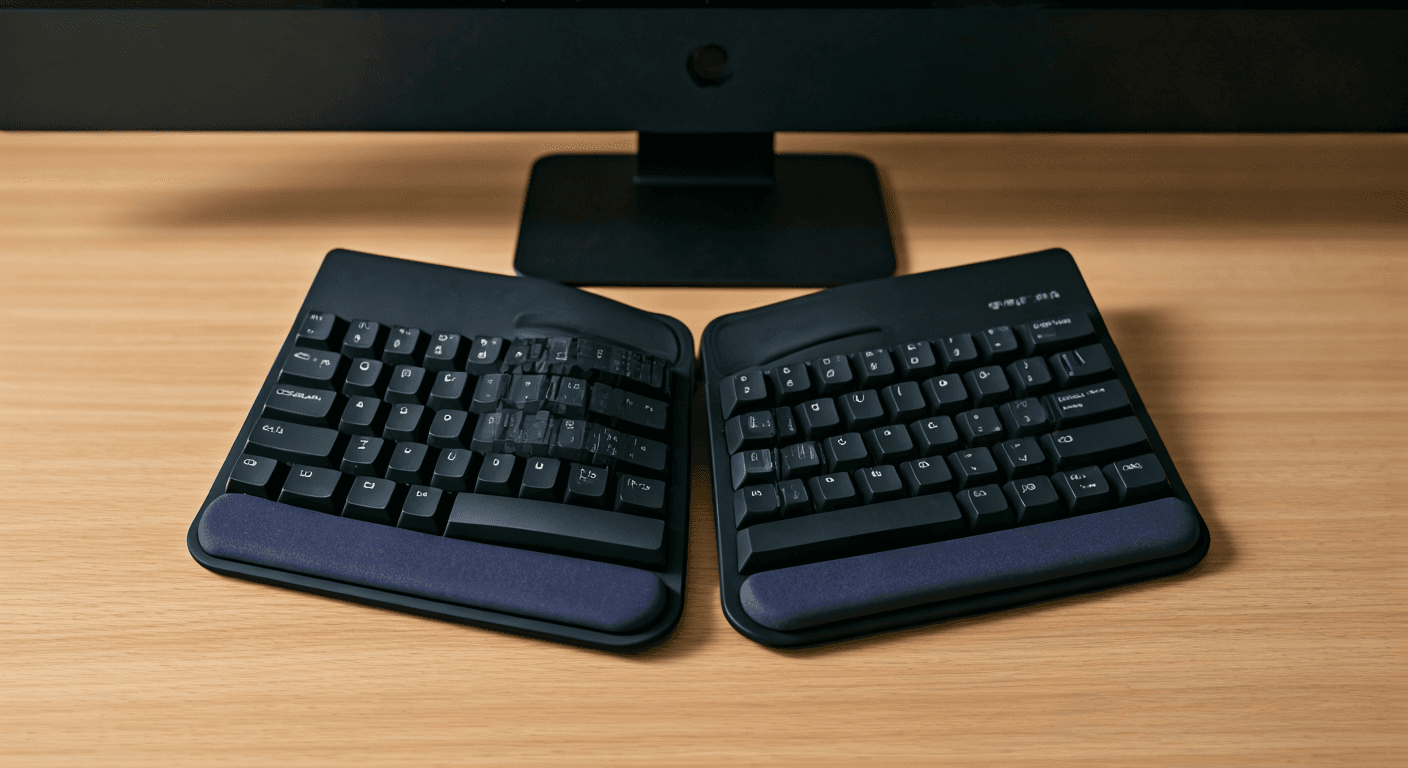
Your keyboard matters more than you might think. A standard flat keyboard forces your wrists to pronate (twist inward) and often encourages ulnar deviation (bending your wrists outward toward your pinkies). Both of these positions stress the carpal tunnel.
- Split keyboards like the Kinesis Advantage360 or ZSA Moonlander let each hand work at a natural angle, reducing pronation and ulnar deviation. The learning curve is real, but many people with carpal tunnel swear by them.
- Ergonomic models like the Logitech Ergo K860 or Microsoft Sculpt offer a gentler split with a tented design. They're easier to transition to if a full split keyboard feels too extreme.
- Low-profile mechanical keyboards with lighter switches (35 to 45 gram actuation force) mean you don't have to press as hard, which reduces the repetitive force on your tendons.
- Vertical mice like the Logitech MX Vertical keep your hand in a handshake position instead of flat, which reduces forearm pronation. Trackball mice are another good option.
Software Tools That Help
You don't have to brute-force every keystroke. There are software tools that can meaningfully cut down how much you actually type:
- Voice typing has gotten remarkably good. Tools like macOS Dictation, Windows Voice Typing, or third-party apps like Talon can handle drafting emails, writing documents, and even some coding tasks. It won't replace typing entirely, but it can handle the bulk writing that wears your hands down fastest.
- Text expansion tools like Espanso, TextExpander, or AutoHotkey let you type short abbreviations that expand into full phrases, email templates, or code snippets. If you type the same things repeatedly, this is a quick win.
- Break reminder apps like Stretchly or Time Out can nudge you to take those micro-breaks before you forget. You can configure them to pop up every 15 to 20 minutes with a gentle prompt.
- Keyboard shortcut layers using tools like AutoHotkey (Windows) or Karabiner-Elements (Mac) let you remap keys so your fingers travel less. Reducing hand movement reduces strain.
When to See a Doctor
Self-care and ergonomic changes can go a long way, but there are warning signs that mean you should get professional help sooner rather than later:
- Numbness that doesn't go away after resting your hands, or that's present when you wake up most mornings
- Noticeable weakness — dropping objects, difficulty gripping, struggling with buttons or jars
- Pain that keeps you awake at night or that gets progressively worse over weeks
- Loss of sensation in your thumb or fingers that doesn't improve with stretching or breaks
- Symptoms in both hands (this sometimes indicates a more systemic issue)
A doctor or occupational therapist can order nerve conduction studies to see how compressed the nerve actually is, fit you with a night splint (which keeps your wrist neutral while you sleep), recommend corticosteroid injections for inflammation, or discuss surgical options if conservative treatments aren't enough. Carpal tunnel release surgery has a high success rate and a relatively quick recovery — it's not something to be afraid of if you genuinely need it.
Workplace Accommodations You Can Ask For
If carpal tunnel is affecting your work, you may be entitled to reasonable accommodations. Many people don't realize they can ask for these, or they feel awkward about it. But these are standard requests that most employers have handled before:
- An ergonomic keyboard and mouse (split keyboard, vertical mouse, or trackball)
- A keyboard tray or adjustable desk to get your typing surface at the right height
- Voice-to-text software licenses
- Modified break schedules — more frequent short breaks throughout the day
- Temporary workload adjustments during flare-ups or recovery from treatment
- An ergonomic assessment of your workstation by a professional
In many countries, carpal tunnel syndrome qualifies as a disability or workplace injury, depending on how it developed. It's worth having a conversation with your HR department or your doctor about what support is available to you.
Carpal tunnel is genuinely difficult to live with, especially when your work depends on a keyboard. But it's also manageable for most people with the right combination of ergonomic changes, movement habits, and — when needed — medical treatment. You don't have to tough it out in silence, and you don't have to accept the pain as inevitable. Start with one change this week. Adjust your wrist position, try a stretch, or set a break timer. Small shifts add up, and your hands will thank you.
Related posts

Typing for Seniors: Simple Exercises to Build Speed and Confidence
Gentle typing exercises for older adults, arthritis-friendly keyboard tips, and why short sessions beat long ones.

Typing Posture Guide: Comfort That Lasts All Day
Ergonomic setup, micro-breaks, and posture cues that keep you comfortable and consistent
The Health Benefits of Proper Typing Technique
Explore how proper typing technique can improve your physical and mental well-being
Published March 2026